Release 2026.08

Good AI support is not noticeable through additional hurdles, but through fewer concerns, targeted protection, and streamlined processes. It provides timely information when needed and is available where people already work. VARIOS AI presents two new features.

Image generated using AI
Greater visibility for stable operations

Administrator Notifications

The successful use of AI in organisations does not end with models, prompts, and security mechanisms. Reliable operations in the background are equally important. In day-to-day administration, many challenges do not arise from major disruptions, but from a lack of visibility into developments that indicate potential issues early on. This is exactly where the Administrator Notifications feature comes in.

The aim of this feature is to alert those responsible to relevant changes and critical conditions at an early stage. This provides a better overview of ongoing operations and makes it possible to respond in time—before minor indicators turn into noticeable limitations.

2 Men Notification

Proactive platform management

For organisations, this is an important step: instead of acting only once employees are already experiencing problems in their day-to-day work, administrative measures can be initiated earlier and planned more effectively. This not only supports operational stability, but also reduces unnecessary interruptions and coordination efforts.

The main benefit is therefore at an organisational level: processes become easier to plan, responsibilities are better supported, and operations become more robust overall. For users, the feature largely remains in the background—and that is precisely its strength. After all, good administration is often most evident when problems never become visible in the first place.

Managing notifications

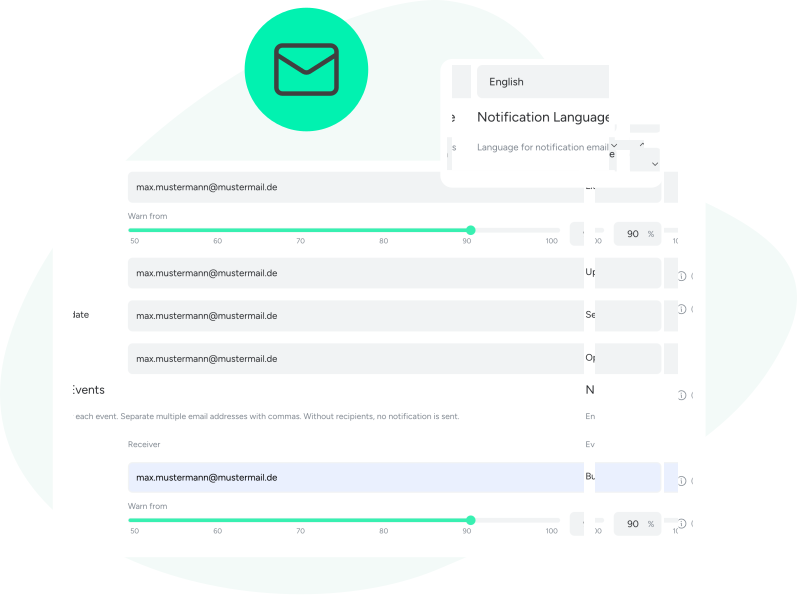
VARIOS AI administrators are notified when:

deployed Sprachmodelle instances are unavailable—regardless of where they are hosted

a user is approaching the defined budget limit

a new version of VARIOS AI is available
Adminbenachrichtigung Composing En
Use AI where work happens

VARIOS AI directly in Microsoft Office

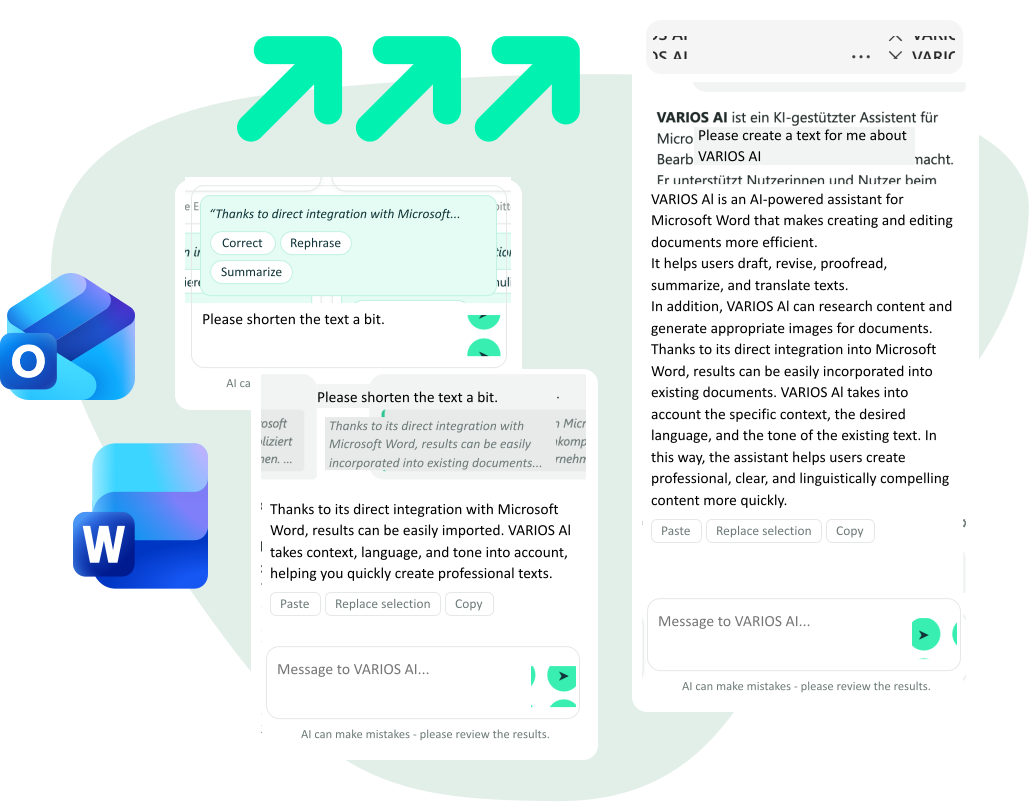
The benefits of generative AI become particularly apparent when it is not used separately from actual workflows, but is available exactly where content is created, edited, and sent. This is where the Microsoft Office plugin for VARIOS AI comes in: it brings AI support directly into familiar applications such as Word, Excel, and Outlook.

Until now, using secure AI applications often involved switching between different tools. Anyone who wanted to create, revise, or analyse content with AI frequently had to move between tools, browser windows, or systems. This not only takes time, but also creates an additional barrier to integrating AI consistently into everyday work. At the same time, it increases the risk that users turn to other, less controlled solutions.

Microsoft Office Word Logo

Microsoft Word

In Word, VARIOS AI directly supports the creation, revision, and structuring of all kinds of texts. Content can be formulated, translated, or further developed more efficiently – without leaving the familiar working environment. This makes it much easier to integrate productive writing with secure AI support into everyday work.
Microsoft Outlook Icon Logo

Microsoft Outlook

With VARIOS AI directly in Outlook, emails can be created and revised faster, more precisely, and with greater contextual relevance. This saves time in daily communication and reduces the need to switch between different tools. At the same time, security and governance requirements remain protected in a particularly sensitive area of work—especially where information leaves the organisation.

More productivity

This feature supports a development that is crucial for many organisations: moving away from isolated AI solutions towards integrated, practical, and secure use of generative AI in established work environments. AI therefore becomes not an additional tool alongside the actual work, but a supportive component of productive systems.

AI can be used directly in Microsoft Office

Previously, its use often required switching between tools

This made it more difficult to use AI in everyday work

The integration lowers barriers and improves workflows

At the same time, it extends security and AI governance
Word Integration 1

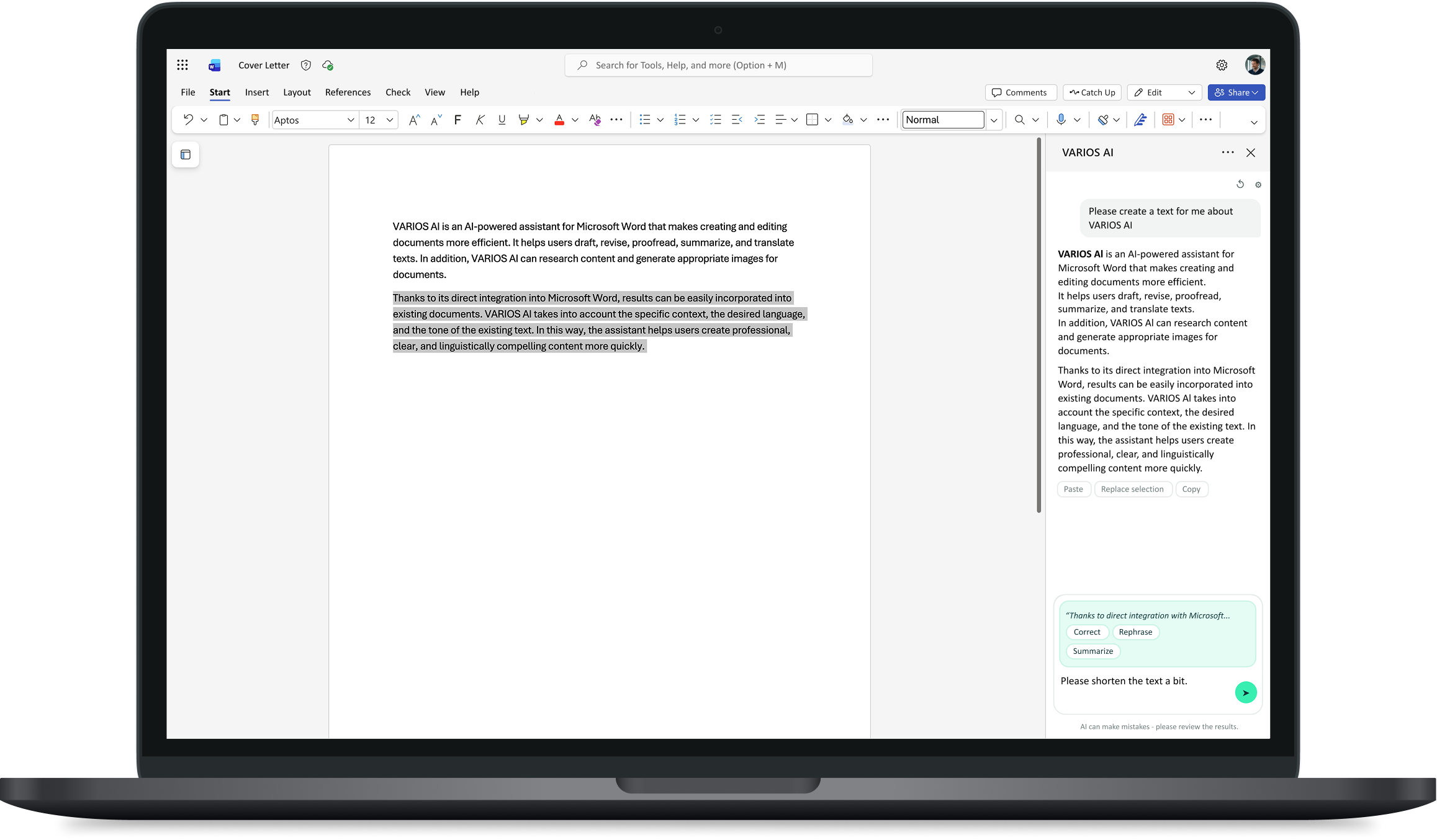
Create content directly in the Microsoft Word interface

Generate all kinds of content directly within the Microsoft Word interface. No switching between tabs, windows, or applications. VARIOS AI accesses the data, documents, and connectors you provide.
Word Integration 2

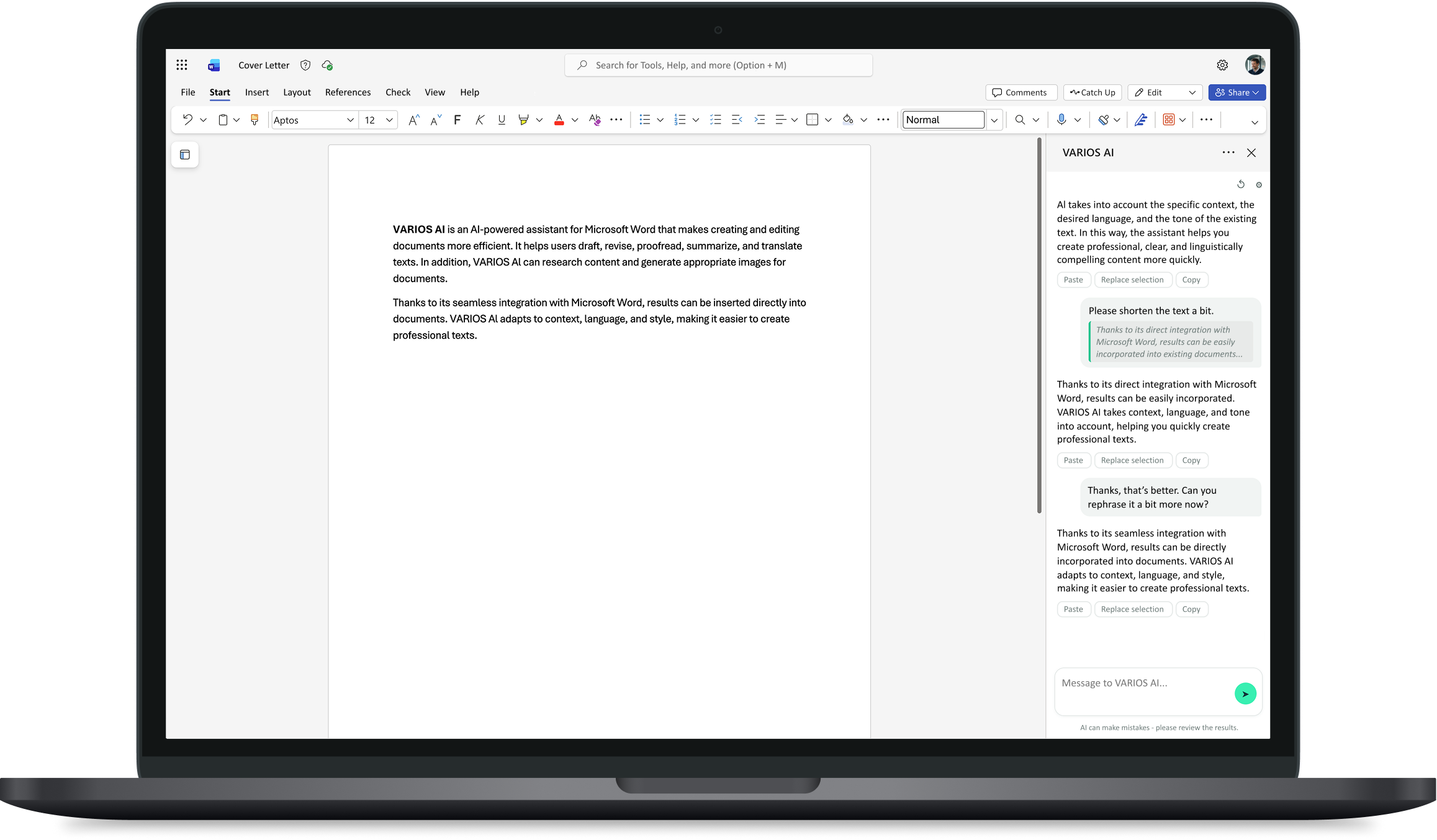
Make targeted or extensive changes

Edit selected sentences or passages together with the AI assistant until the content and format meet the desired quality. With one click, the original content is replaced.
Word Integration 3

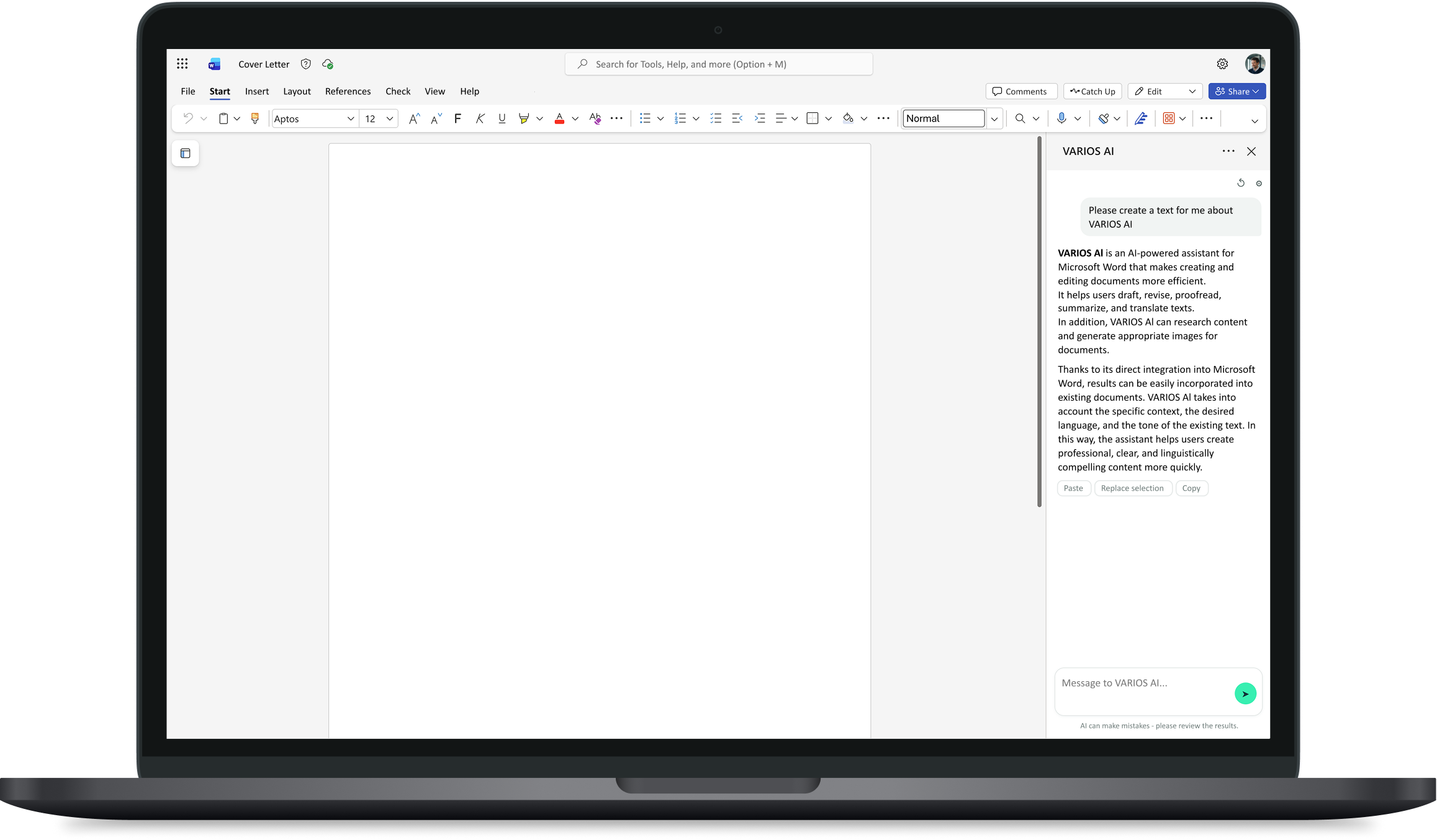
Insert completed content directly into the document with one click

Work on your text with AI support until you are ready to transfer it into the Word document with a single click.
Word Integration 1

Create content directly in the Microsoft Word interface

Generate all kinds of content directly within the Microsoft Word interface. No switching between tabs, windows, or applications. VARIOS AI accesses the data, documents, and connectors you provide.

Word Integration 2

Make targeted or extensive changes

Edit selected sentences or passages together with the AI assistant until the content and format meet the desired quality. With one click, the original content is replaced.

Word Integration 3

Insert completed content directly into the document with one click

Work on your text with AI support until you are ready to transfer it into the Word document with a single click.

AI without context switching

With the integration into Microsoft Word and Microsoft Outlook, AI support is brought significantly closer to day-to-day work. Content can be edited directly within the productivity applications, without leaving the familiar context. This facilitates the everyday use of generative AI and noticeably lowers the barrier to entry for many users.

For organisations, this is especially relevant for two reasons: firstly, practical usability increases because AI becomes available where employees already work. Secondly, existing security and governance mechanisms can be extended to additional core work areas. This not only makes usage more convenient, but also strengthens the controlled and secure integration of AI into existing processes.

Microsoft Word Composing En
Nihat Erk Contact Bubble

Your Personal Contact at VARIOS AI

Are you interested in one of the new features, or would you like to discuss your AI strategy or AI governance? Our team, led by Nihat Erk (Head of Sales), looks forward to hearing from you.

p

A note from us:

We have adapted our versioning scheme to make releases more transparent, easier to understand, and more predictable for our customers. Until now, version numbers primarily reflected our internal development status, alongside short release cycles with many interim versions. Going forward, we will publish fixed monthly major releases and use point releases for subsequent bug fixes and minor corrections. This makes it clearer which version is a regular feature release and which updates are specifically intended for stabilisation and maintenance. This provides better visibility, improved traceability, and a more reliable basis for operations, communication, and update planning—particularly for on-premises installations.

We recommend that our customers update their instance at least every six months to ensure stable operation.