Release 2026.10
Security should enable everyday work, not slow it down. With our latest release, we’re embedding control and transparency even more deeply into your processes. You can now manage sensitive data in chat precisely, instead of blocking it across the board. And thanks to the local code interpreter, your AI can now create finished work documents directly in a secure sandbox. Give your teams the freedom to innovate—strictly within the rules you set.
No more black boxes:
Full control over sensitive data in AI chat
Privacy with precision: Decide what to protect for each individual item detected, and always see exactly what the AI has actually seen.
Until now, protecting data in AI chat often meant choosing between two extremes: either the entire message was anonymized, or protection had to be disabled altogether. If a harmless term was incorrectly flagged as sensitive, the quality of the AI’s response suffered because the model had to work with placeholders. To get precise answers, users often turned protection off completely—risking the disclosure of genuinely critical data. What’s more, it wasn’t clear which information the model had ultimately processed.
Precise protection, not an all-or-nothing choice
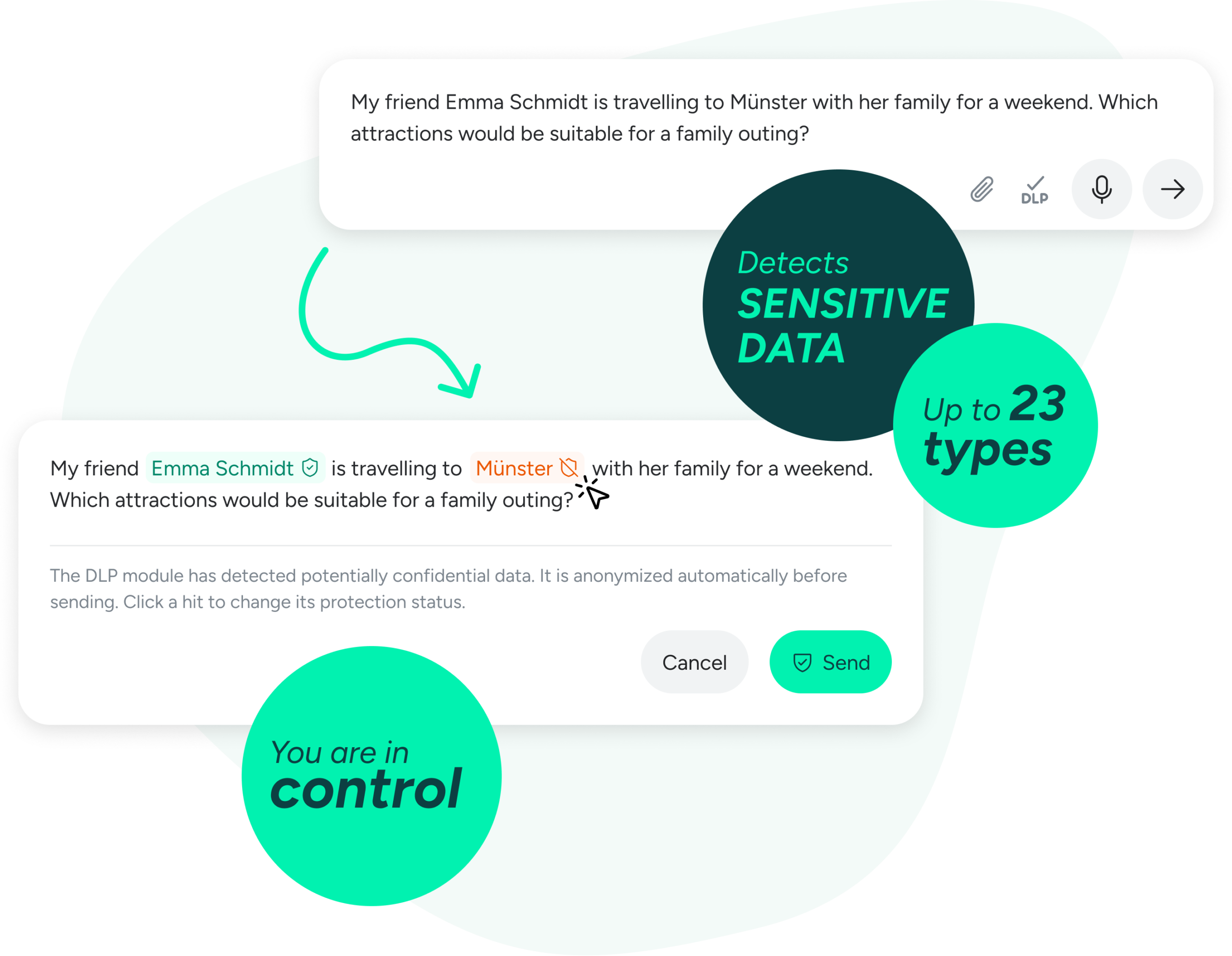
When VARIOS AI detects personal or confidential information in a message, the relevant items are highlighted directly in the input field. From now on, users can decide how to handle each item individually.
The benefits at a glance
Precision without compromise: Data protection and response quality no longer have to compete. Personal information remains anonymized, while non-sensitive terms – such as a well-known company name – are passed through unchanged.
Crystal-clear transparency: After the response, the chat shows exactly which items were replaced. A simple toggle lets you switch between the original text and the replacement values. This gives users and data protection officers a clear view of exactly what the model received.
Accountability, documented: Every deliberate decision to allow an unprotected value is securely recorded in the compliance log. This lets you demonstrate to the works council or data protection officer at any time that exceptions were made transparently and traceably – not silently.
Enforceable safeguards: Information that your internal policies prohibit from leaving the organization remains strictly blocked. Individual approvals are technically disabled for such information.
Security that enables: When security policies support everyday work transparently and traceably instead of getting in the way, there is far less incentive to turn to unprotected external AI tools. We give your teams the flexibility to achieve excellent results – within a framework you control. Transparent by design.
Tangible results – not just answers
The new local Code Interpreter
Until now, you may have been used to uploading a document to an AI chat, where the assistant reads the information and responds with text. If you wanted to turn it into a presentation, a formatted spreadsheet, or a PDF, you had to do the extra work yourself.
Until recently, automated document creation was only possible through OpenAI’s cloud API. For organizations with strict data-protection requirements, this could be a problem—or rule out using the feature altogether.
With VARIOS AI’s new local Code Interpreter (Sandbox), we solve exactly that problem: your AI can not only read files, but also create, edit, and format them.
For example, raw data can be turned into Excel analyses, Word reports, or charts—simply by asking.
Transparency and structure in every chat
You always stay in control. If you ask the AI to “revise section three of the report,” it can edit the relevant file in the chat context. This creates a new file version while preserving the previous one. All documents from a chat are collected in one clearly organized place. You can see which files the AI has created and download completed results directly.
Security: processing within your VARIOS AI instance
What this means for you:
Data sovereignty: With an AI model running on your infrastructure and the local Code Interpreter, files can be processed entirely within your own environment – without using the OpenAI cloud API for document creation. Your existing safeguards, such as virus scanning, DLP (Data Loss Prevention), and encryption, can also be applied to the documents created.
Resources you can control: You set the limits. IT administrators can define storage quotas for each instance and account, helping you keep track of files and resource usage.
A secure foundation: Documents that can be securely edited across multiple steps provide a foundation for future automated workflows and shared project repositories.