Stable Release 1.156

Lowering Barriers, Deepening Control

With the launch of version 1.156, we are introducing secure voice input and automatic knowledge synchronization. We are lowering the hurdles for your teams and optimizing background administration – ensuring more efficient processes with full data sovereignty.

2026 02 Spracheingabe En
No hands free? No problem

More freedom with voice support

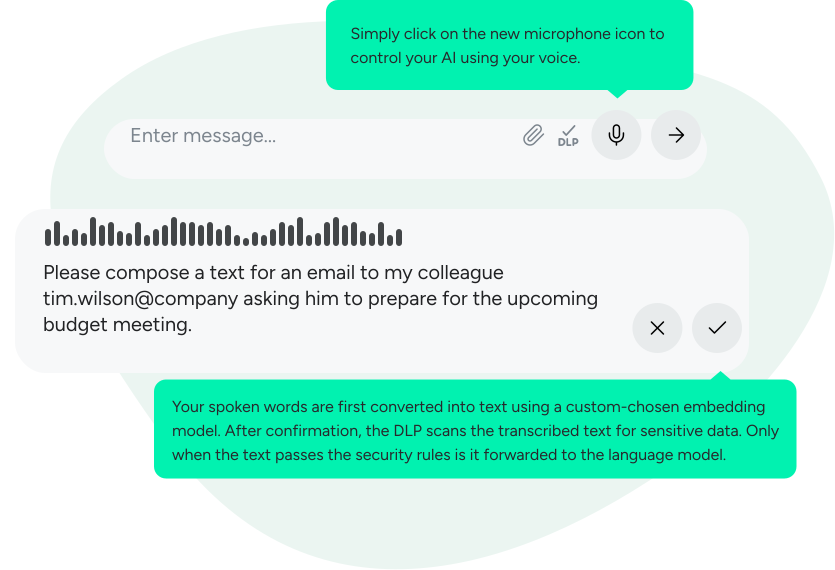
Whether on the construction site, holding a coffee, or just wanting to capture a quick thought: from now on you no longer need to type your prompts in VARIOS AI. One click on the new microphone icon is enough to control your AI by voice.

Low barriers for wide adoption

From experience we know: the more familiar the operation, the faster a new tool becomes part of everyday work. Your teams already know voice input from messengers and smartphone assistants. By integrating these familiar patterns into VARIOS AI, we significantly lower the threshold for using generative AI. Interaction becomes more casual, faster and more intuitive — even for employees who previously struggled with typing complex prompts.

Voice input: Maximum flexibility – also in security

But we know: converting speech to text is still a AI-driven process.

We are aware that converting speech to text is also an AI process. That is why our principle remains: Your AI, your rules.
We offer you the freedom to decide where and how this transcription takes place – tailored to your security needs and your infrastructure:

  • The Standard (Cloud): For maximum speed and minimal hardware effort, choose and use your favorite cloud interfaces for transcription.
  • The high‑security solution (On‑Premise): Want to ensure no spoken word leaves your network before it’s checked? Run the transcription model directly on your own infrastructure.

The advantage of the on-premise variant:
Because the conversion happens locally, your configured Data Loss Prevention (DLP) kicks in before data is sent to the large language model. Sensitive information is identified and filtered in text form before it ever reaches the cloud.

Honesty is part of the deal:
Running a local transcription AI provides maximum data sovereignty, but requires corresponding compute capacity in your data center.
You choose: a convenient cloud solution or maximum isolation on‑premise. We provide the platform, you set the security level.


Exporting a chat as a PDF

Often, a conversation with a language model is only the first step. The concepts, analyses or texts developed are then processed further in other systems, presented in meetings or need to be archived.

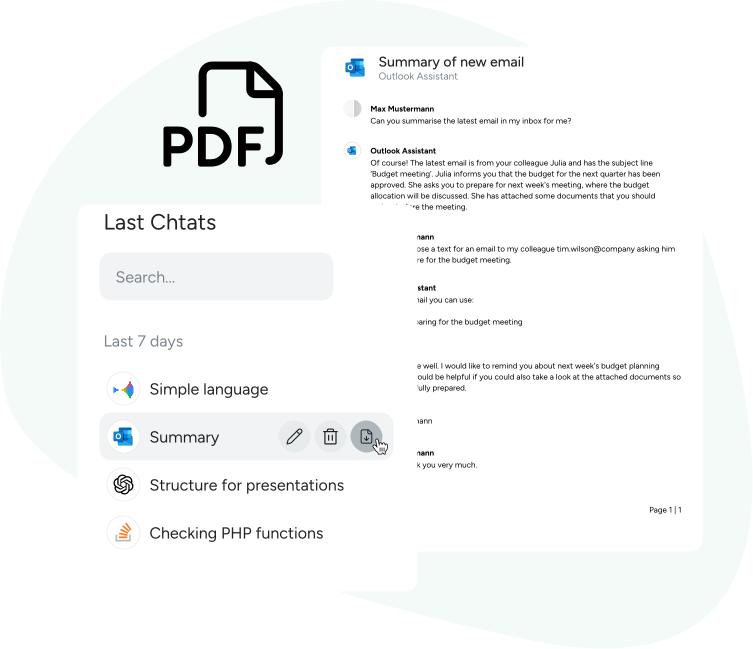
To make that transition seamless, you can now export your chat histories as PDFs.

Whether a short query or an extensive research session: one click is enough to get a cleanly formatted document. That way you make valuable results immediately portable — for documentation, sharing with colleagues or further processing in your specialist applications.

2026 01 Export Chats En

Up-to-date knowledge. Automatically synced.

A language model is only as good as the data it can access. Until now, using your own knowledge bases often meant a compromise: either high manual maintenance effort or the risk that the AI relies on outdated information.

With the new Auto‑Sync we solve this dilemma.

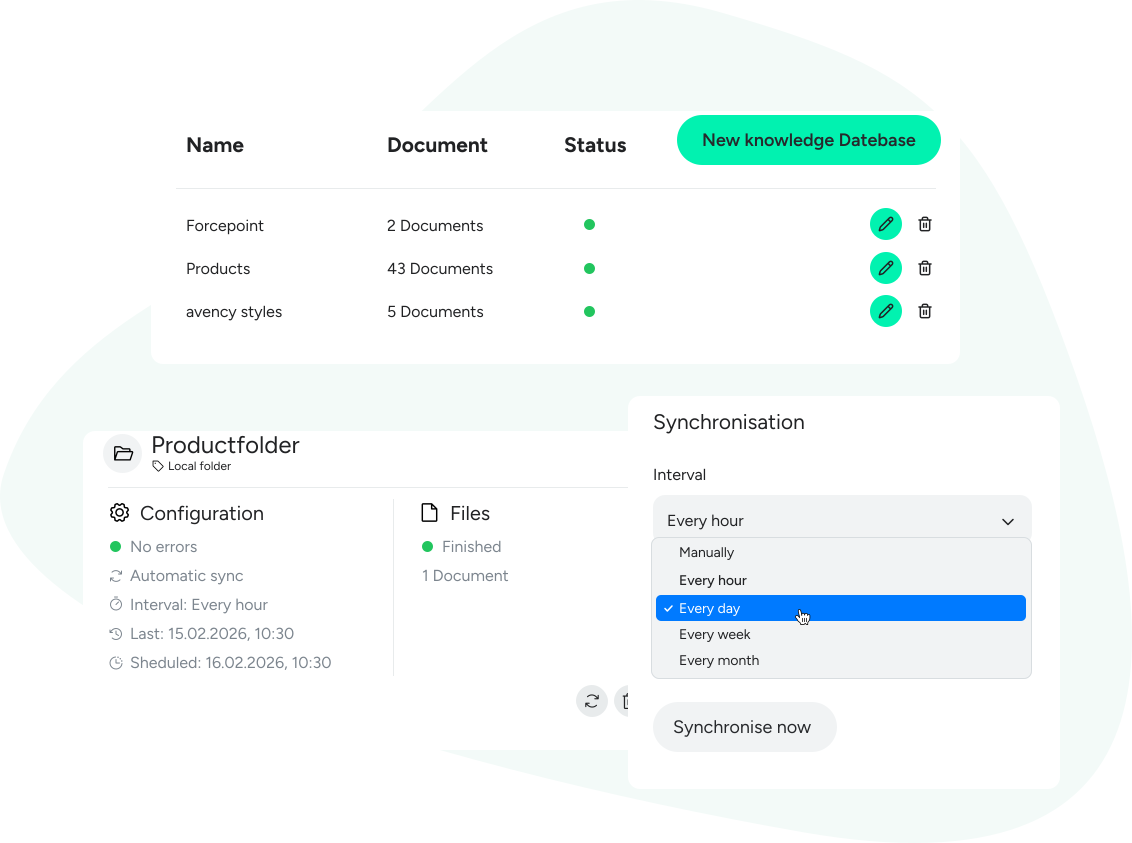
You can now connect sources such as Nextcloud (via WebDAV), GitHub or your local network folders directly to VARIOS AI. You define the schedule, we take care of the rest: at fixed intervals the system checks your sources, detects changes and automatically updates your vectorized knowledge database.

What this means for you:

  • No outdated data: Your assistants always answer based on the current reality.
  • No manual effort: Manually uploading and vectorizing new file versions is completely eliminated.
  • Independence: Use state-of-the-art vector search even for data that is not stored in an API-capable cloud.Your data stays where it belongs – but the knowledge within it is always fresh and available for your AI.

Duplicate models and assistants

Copy. Test. Optimize.
The path to the perfect AI assistant is often an iterative process. We are now making this path significantly shorter. Duplicate existing assistants and models, including all configurations – from prompts and connectors to DLP rules – with a single click.

This new feature gives you the freedom to experiment safely:

  • A/B testing made easy: Create an exact copy of your production assistant and specifically vary individual parameters. Compare how different values for creativity and diversity or adjusted prompts affect the quality of the results.
  • Secure Sandbox: Test stricter security settings or new data sources on a duplicate without jeopardizing the ongoing operation of the original assistant.
  • Efficient management: Use proven configurations as templates for new use cases instead of starting from scratch every time.

In this way, you develop your AI environment step by step – data-driven and risk-free.

Fine-tuning for your knowledge bases

More precision for answers from your data treasures.


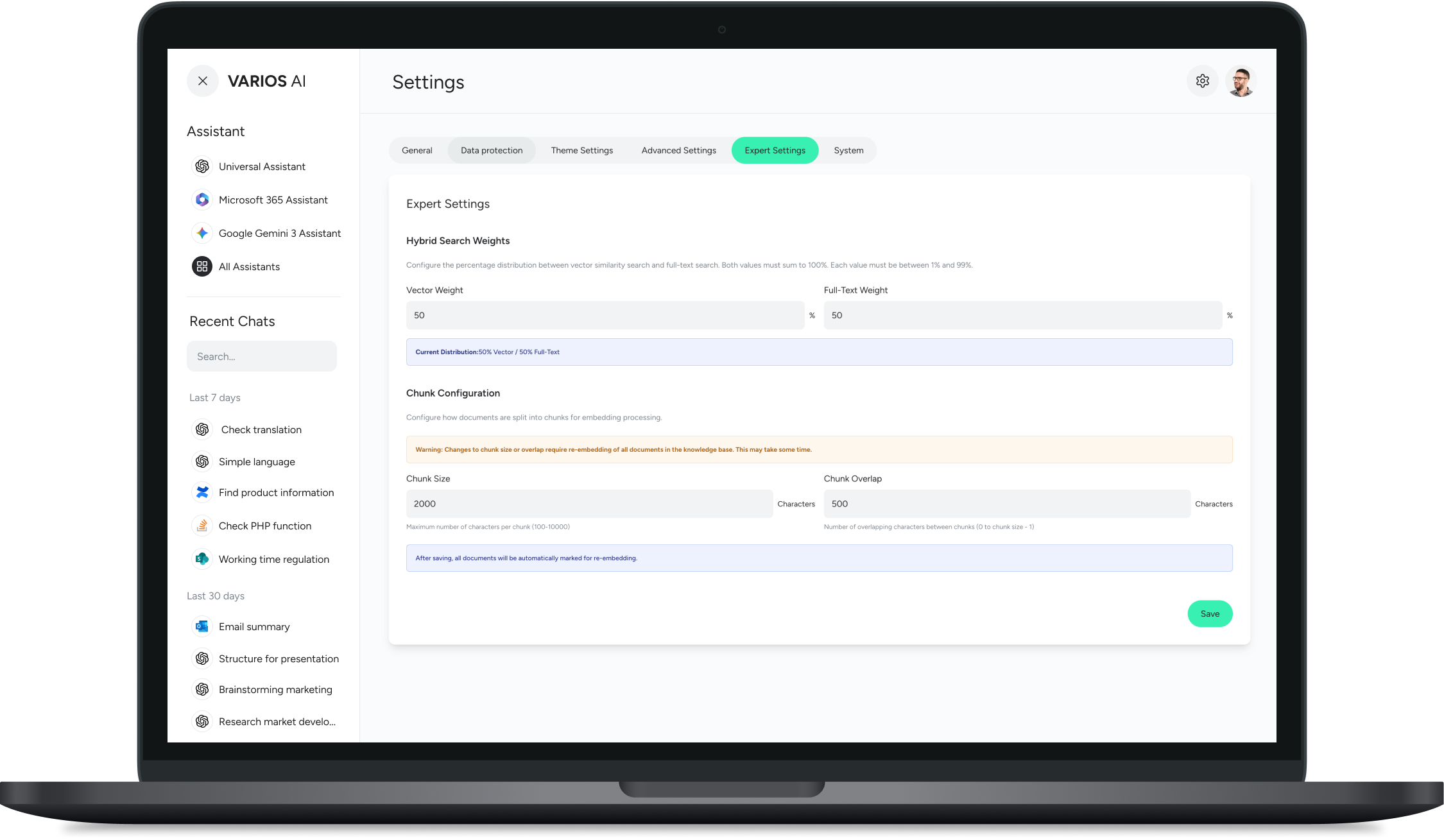
Not every question requires the same depth of search. With the new advanced search configuration, we provide you with the tools to precisely control how VARIOS AI processes information from your documents. You decide how the AI searches and how much context it considers.

Your new possibilities at a glance:

  • Variable Chunk Size: Determine for yourself how large the text segments (chunks) sent to the language model should be. Smaller fragments ensure pinpoint answers to specific questions, while larger sections provide more context.
  • Flexible Search Strategies:
    • Semantic: The AI searches for meaning and context (ideal for open-ended questions).
    • Literal: The AI searches for exact terms (ideal for part numbers or fixed definitions).
    • Hybrid: Combine both methods for the best possible results.

Optimize your knowledge bases now in the admin area – for answers that are exactly as precise as you need them to be.


Mockup Light Theme Chunk Größen En